
How Flodesk’s New Integrations Transformed My Workflow
Disclaimer: I’m a Flodesk partner, and this post contains an affiliate link, meaning I may receive a commission at no extra cost to you.
When Flodesk first became popular, everyone focused on one main thing - how beautiful the email templates were. And yeah, the emails were, and still are, gorgeous! It’s part of the reason I picked Flodesk in the first place, along with it being extremely user-friendly. I’m not a graphic designer (or anything close), so having professional, designer templates was a huge pro in the beginning of my business.
But here’s the thing - Flodesk in 2025 is so much more powerful. It's evolved from a beautiful email tool into the hub of an entire marketing system.
The Evolution of Flodesk - Integrations
When I first started using Flodesk, it was pretty bare-bones in terms of integrations. You could send beautiful emails, sure, but connecting it to the rest of your creator tech stack required workarounds and Zapier subscriptions.
Fast forward to now, and Flodesk has rolled out integrations with the exact tools creators are already using. We're talking ThriveCart, Manychat, Canva - the platforms that are actually in your business every single day. These aren't random integrations just to say they have them. These are strategic additions that completely change how you can run your creator business.
My New Fav Integration - ThriveCart
As a ThriveCart user, this integration announcement was EVERYTHING. I host all of my checkout pages on ThriveCart, so the fact that I’m able to connect them without still using Zapier has saved me a lot of money (and tech headaches when something stops working).
Before the integration, I had a ton of Zaps running for every product, order bump, upsell, and downsell. It got to be a bit much!
But now it’s all possible without any middle man.
How to Connect Flodesk & ThriveCart, And Automate Your Products
Step One: First, head to your ThriveCart integration settings, and connect your Flodesk account.
Step Two: Once you’re connected, head back to your products! When you have the product you want to add the automation to, click edit.
Step Three: When you’re in the product settings, head to the automations tab.:
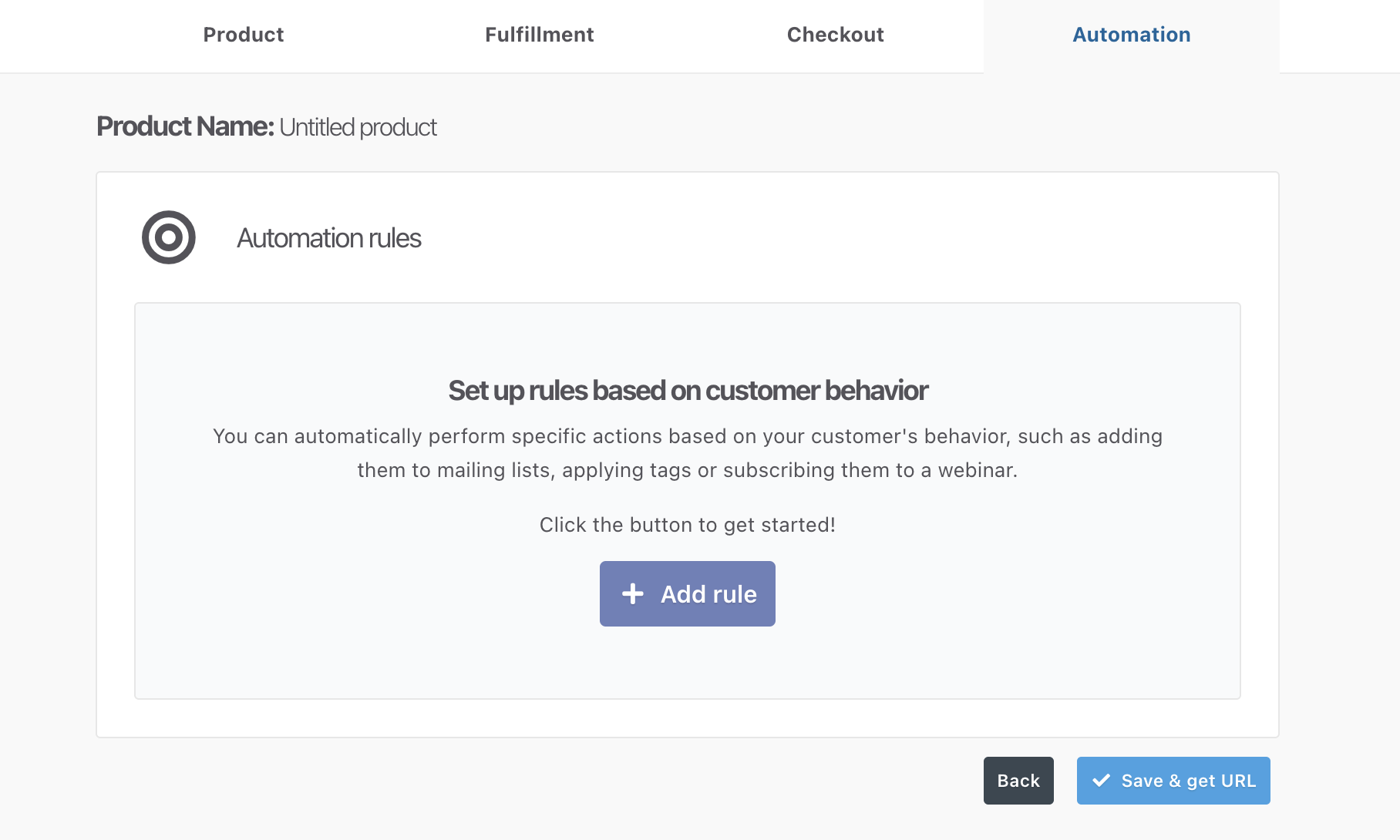
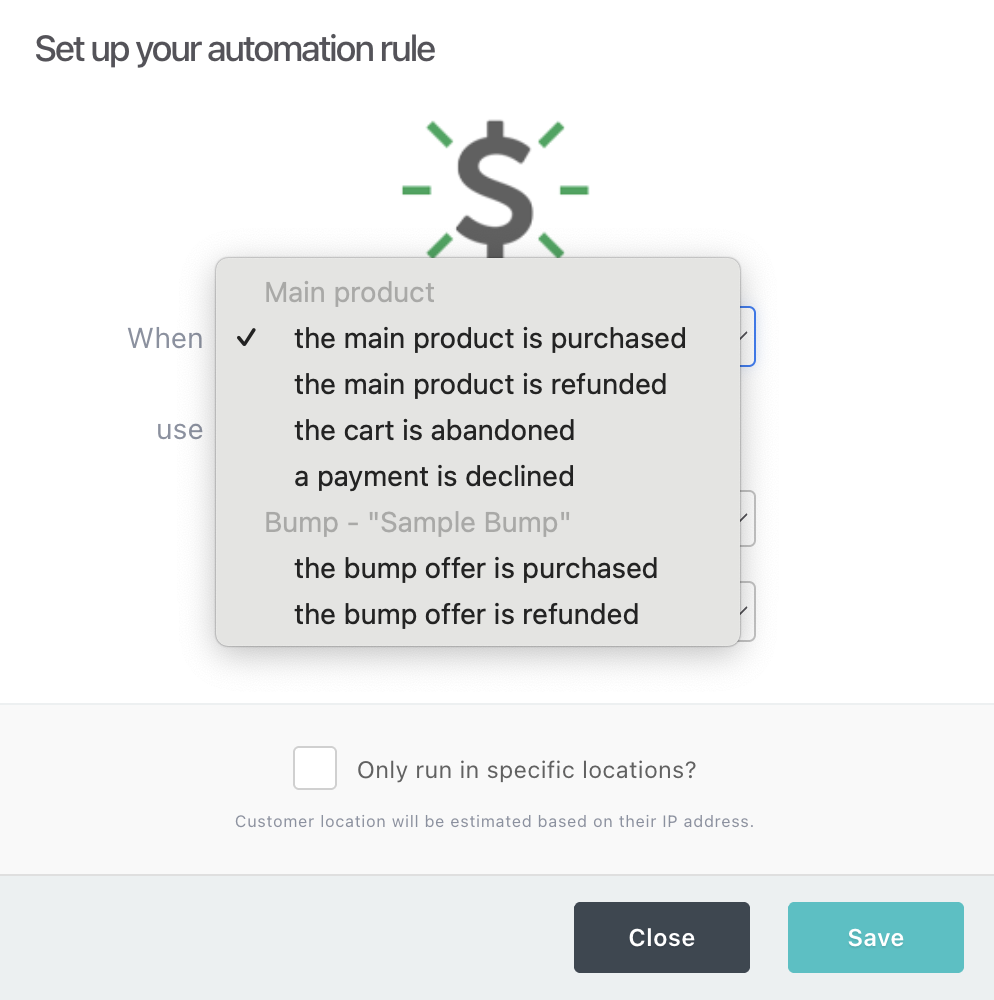
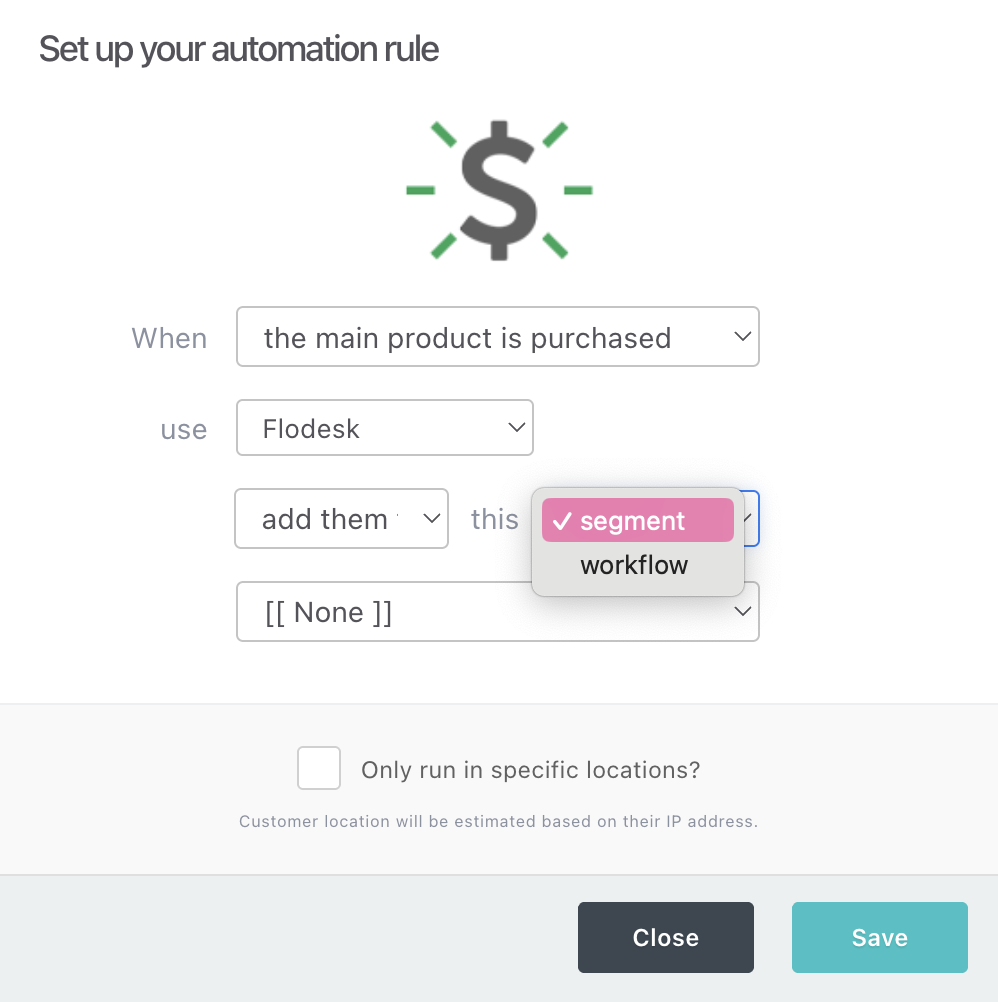
Step Four: Click “add rule”. Once you get to this step, you have some options! You’ll be able to add people to a Flodesk segment or workflow based on the following behavior: main product is purchased, cart is abandoned, bump offer is purchased. There are a few other options, but I use these the most. You can see what it will look like here:
How I Use the Integration
I like creating segments for buyers of my products (including bumps) to keep track of who has what product, and be able to filter them out of sales emails in the future. I also create segments for cart abandons to try to recover lost sales.
For example, I may have these segments for an offer: “PURCHASED - Offer Name”, “PURCHASED - Bump Name”, “ABANDONED - Offer Name”. So I’d set up a ThriveCart product automation connecting all of those.
I personally prefer to connect to a segment, and then have Flodesk workflows trigger when someone is added to a segment. This is personal preference, I just found it was easier to keep track of this way! I connect these segments to abandoned cart email flows, and post-purchase upsell flows.
For example, if someone puts in their email but doesn’t complete their purchase on ThriveCart, ThriveCart automatically adds them to that abandoned cart segment on Flodesk I made and connected to the product. That then triggers my workflow I have set up where in an hour they’ll get a little nudge to complete their purchase (sometimes with a discount)!
By the way, you can also set this automation up with your upsells and downsells in ThriveCart for even deeper targeting. To do so, follow the same steps, but choose an upsell or downsell product instead.
Another Fav Integration - Manychat
If you’re using Instagram to grow your audience and email list (like me and a lot of other creators), the Manychat integration can help increase your conversions.
I’ve personally noticed and heard from other creators that grabbing a lead’s email in Instagram DMs is usually easier than getting them to click off Instagram to an external opt-in page and enter their info there.
Now that Flodesk and Manychat connect automatically, it’s possible to take advantage of this!
How to Connect Flodesk and Manychat
Step One: First, head to your Manychat settings and scroll all the way down to integrations. Find Flodesk on the list and connect your account!
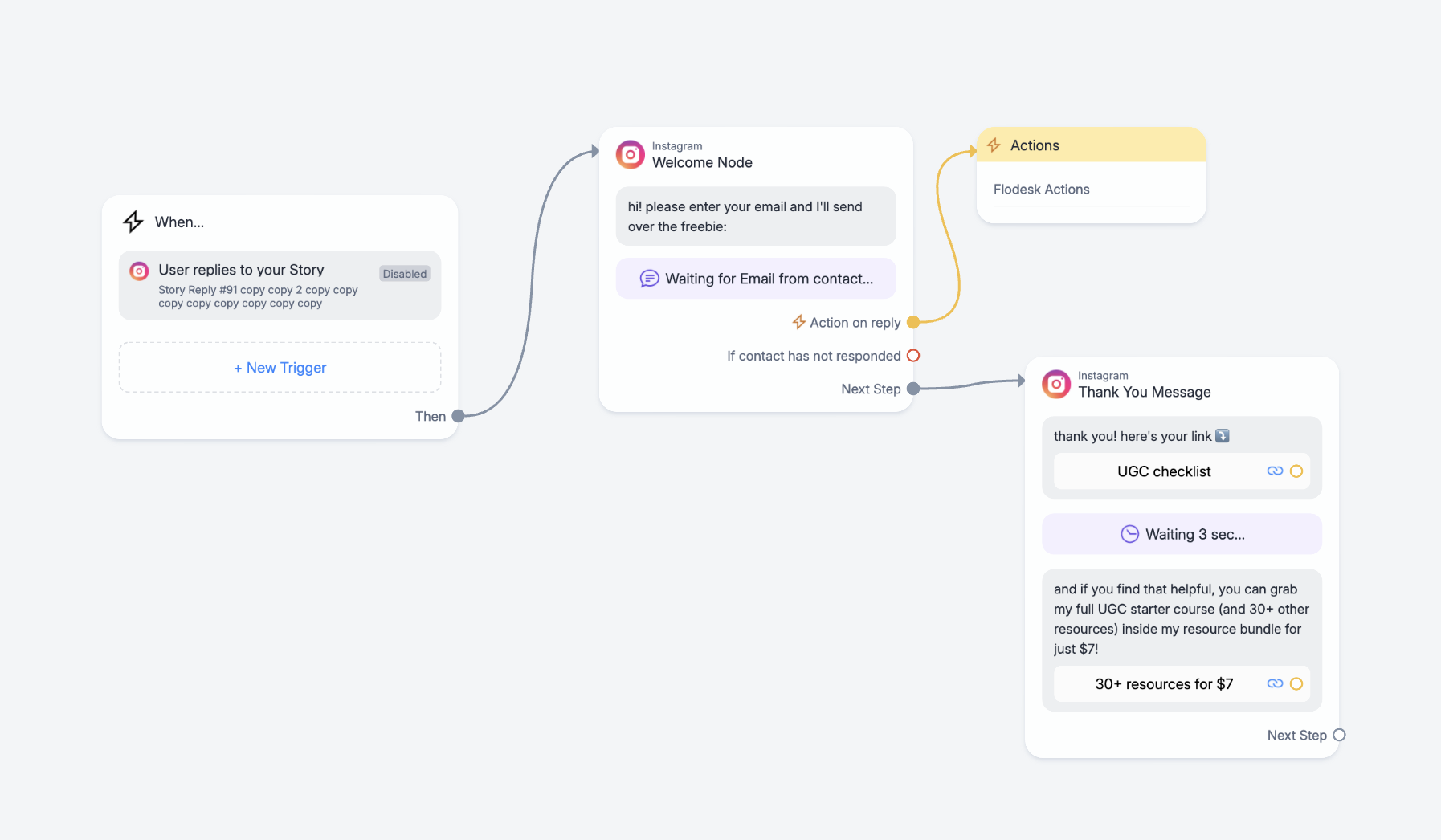
Step Two: Add an automation for a freebie to generate leads! To make this work, it should end up looking something like this:
How to Use It
How this works is there’s a trigger, like when a user replies to your story or comments a certain keyword, then they get prompted to share their email! This is the step that typically converts better than sending over the link to an opt-in form, and why this integration is so great. You can add an action to where when the user replies with their email, it automatically adds that email to your chosen segment. This segment can just live in Flodesk, or you can connect it to a workflow to upsell a paid product later on!
What Else Has Flodesk Added?
Beyond ThriveCart and Manychat, Flodesk recently added a Canva integration too. You can design your email graphics directly in Canva and seamlessly drop them into your Flodesk emails. If you're already making your graphics in Canva (like most of us), this just makes sense.
They keep adding more integrations with tools creators actually use. It's clear where Flodesk is headed - they're building a platform that works with your entire tech stack, not against it.
The Bottom Line
Flodesk isn't just "the pretty email tool" anymore. It's evolved into a full marketing platform that's actually built for how creators work in 2025.
If you're still thinking of Flodesk as just beautiful templates, you're missing the whole point. The real power is in how everything connects - your Instagram leads flow into your email list, your sales trigger the right sequences, and it all happens automatically while you're creating content.
That's what changed my business. Not the pretty emails (though those are nice). The systems that run themselves.
Full disclosure: I'm a Flodesk Partner, which means if you sign up using my link, I may earn a commission at no extra cost to you. If you’re ready to see what Flodesk can do for your business, you can get 25% off of your first year here. Thank you for using my links!
